
Customer Access
DIY Assembly Guide Access
Complete DIY assembly requires exact wiring layouts. Therefore, this guide is reserved for verified customers. Please enter your order password below.
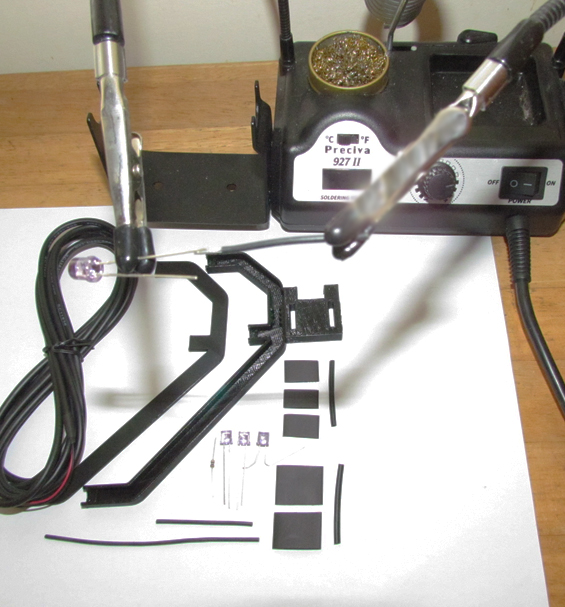
Mastering Your Infrared Kit DIY Assembly
Building custom tracking gear gives you full control. You can adjust component positioning, frame weight, and cable routing. However, following strict DIY assembly steps is crucial. Proper wiring ensures your infrared LED array receives steady voltage. This prevents circuit damage, diode burnout, and erratic signals during play.
Essential DIY Assembly Tools and Safety Steps
Prepare your workspace before opening your digital manual. Having basic tools ready speeds up construction. It also prevents simple wiring errors during assembly.
We recommend using a fine-tip soldering iron. Pair it with standard electronic solder for strong joints. Additionally, keep precision wire strippers nearby. Small heat-shrink tubing helps insulate exposed LED leads securely.
Use a USB power tester or multimeter before plugging in. Checking polarity protects your motherboard ports from unexpected power surges. Consequently, taking time with electrical checks ensures long-term hardware safety.
Component Alignment and Frame Construction
Accurate mechanical placement is vital for optical tracking. Software uses precise geometric points to calculate head position. Therefore, mounting infrared LEDs at exact angles guarantees smooth camera motion.
Mount components using non-conductive clips or strong fasteners. Solid mounting stops micro-vibrations from throwing off your view. Furthermore, proper wire strain relief near the USB plug protects solder joints over time.
Software Calibration After Hardware Setup
Software alignment is the final phase of your build. Custom LED placement changes physical dimensions slightly. Because of this, enter exact millimeter measurements into OpenTrack profiles to prevent axis drift.
Fine-tuning sensitivity curves right after assembly delivers fluid 6DOF movement. As a result, your view stays steady in any simulator.
If you lost your access pass, contact our team. Visit our official customer contacts page for assistance. You can also explore our head tracking setup blogs for extra guides. For driver updates, visit the official OpenTrack GitHub repository.