Posted on

The Best Head Tracker for Microsoft Flight Simulator

The Best Head Tracker for Microsoft Flight Simulator

Are you looking for the best head tracker msfs pilots rely on? Therefore, achieving true 6DOF cockpit immersion is essential. Finding the best head tracker msfs option is not just a luxury. Instead, it is a necessity for serious simmers. As a result, it provides total situational awareness that simple keyboard shortcuts cannot match.
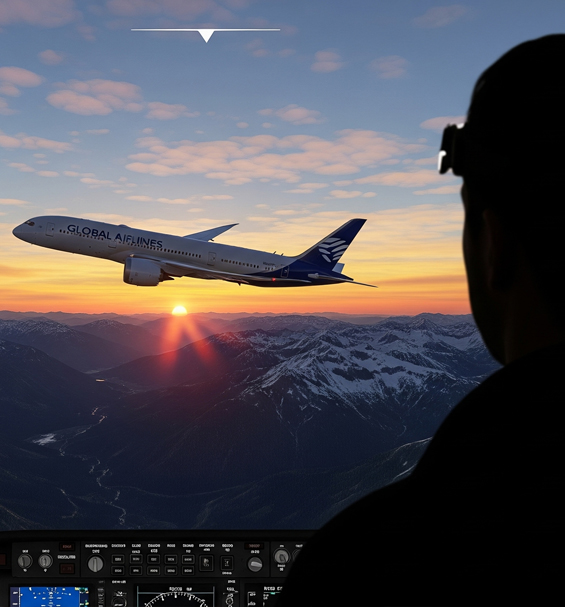
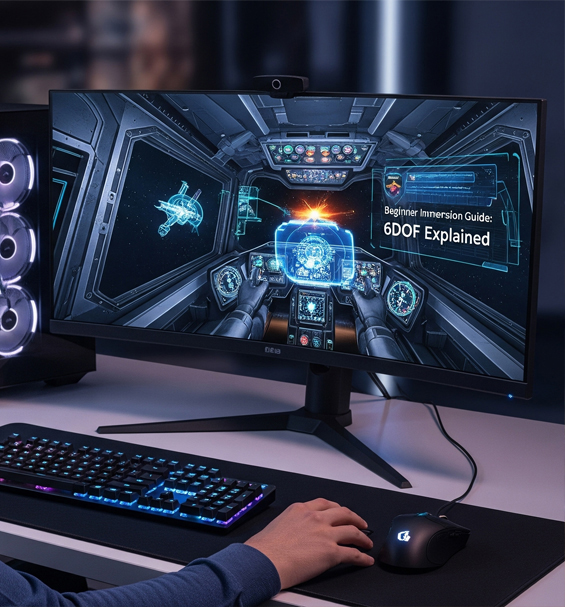
The best head tracker msfs setup showing a realistic flight simulator cockpit view

In this guide, we explore why 6DOF tracking changes flight simulation. In addition, we cover key features to look for in your setup.

What is 6DOF and Why Does It Matter for Flight Simming?

6DOF stands for Six Degrees of Freedom. Specifically, it tracks your head across six distinct axes. These include forward, backward, up, down, left, and right. Furthermore, it tracks pitch, yaw, and roll. Because of this, high-precision gear translates every small head movement directly into your virtual cockpit view.

For example, lean forward to inspect small instrument gauges easily. Your view zooms in smoothly. Similarly, crane your neck to check runway alignment on final approach. Consequently, the camera responds without delay. For this reason, natural motion tracking is key to true simulator immersion.

Key Features of the Best Head Tracker MSFS Pilots Rely On

Keep these performance features in mind when selecting head tracking gear:

  • Accuracy and Responsiveness: Smooth, jitter-free tracking is vital. Because quality IR LEDs are used, they ensure ultra-low latency while flying.
  • Ease of Setup: Quality solutions offer simple plug-and-play installation. Therefore, you spend your time flying rather than configuring settings.
  • Build Quality and Durability: Choose a light yet sturdy clip design. As a result, it stays comfortable during long flights without causing fatigue.
  • Software Compatibility: Look for seamless integration with OpenTrack software. Consequently, it supports MSFS, Elite Dangerous, and IL-2 Sturmovik.

Why TrackIT Delivers the Ideal TrackIR Alternative

Our TrackIT Pro models deliver these essential features at an accessible price. In fact, TrackIT provides pinpoint accuracy and lightweight comfort. In addition, it offers full software support right out of the box.

Therefore, upgrade your flight deck with precise infrared tracking today. Consequently, you eliminate camera panning hassle completely. As a result, unlock natural, head-controlled awareness in every flight scenario.
Posted on

Transform Your Drive: Why Head Tracking is a Must-Have for Sim Racing & Trucking

Transform Your Drive: Why Head Tracking is a Must-Have for Sim Racing & Trucking

If you want the ultimate setup, using head tracking sim racing ets2 gear provides an incredible level of immersion. Consequently, adding a head tracker turns static virtual driving into an active experience for drivers.

A first-person view showing head tracking sim racing ets2 action in a virtual cockpit

A force-feedback wheel and a solid set of pedals are standard issue. However, adding dedicated infrared tracking is just as revolutionary for drivers as it is for pilots. Therefore, let us explore why head tracking sim racing ets2 gear is an essential piece of kit for any serious driver.

Why Head Tracking Sim Racing ETS2 Gear Improves Apex Control

In sim racing, looking toward your apex is essential for fast lap times. For example, a quality head tracker lets you physically turn your head to spot corner exits early. As a result, this natural movement allows you to anticipate turns, perfect your racing line, and lower your times.

In addition, it is far more intuitive than snapping buttons on a wheel. Because your eyes stay focused on the track, you make subtle glances naturally without losing control.

Checking Mirrors using Head Tracking Sim Racing ETS2 Configurations

For long-haul truckers, situational awareness is vital on every trip. For instance, testing a head tracking sim racing ets2 configuration in Euro Truck Simulator 2 completely changes how you manage heavy highway traffic. Therefore, checking your right-side blind spot before changing lanes requires only a quick glance.

Similarly, reversing a long trailer into a tight loading bay becomes effortless. Because you can lean forward naturally, you easily track your trailer in the side mirror. As a result, you eliminate annoying camera adjustments and enjoy pure driving realism.

Why 6DOF Tracking Works for Every Simulator

While head tracking started in flight simulators, ground simulation benefits just as much. Specifically, using 6DOF tracking connects your movements directly to your virtual cab view. Therefore, peering around your front A-pillar or checking side mirrors becomes second nature.

Furthermore, pairing high-precision hardware with open-source software like OpenTrack ensures instant compatibility with all major driving games. Consequently, this simple setup creates a sense of presence that fixed monitors cannot match.

Upgrade Your Rig with TrackIT

Our TrackIT Pro models deliver smooth infrared performance at an affordable price. In fact, TrackIT offers lightweight durability and instant calibration for your favorite simulation titles.

Therefore, upgrade your driving rig with precise head tracking today. As a result, you gain natural vision control across every track and highway.

Posted on

Your First DIY Head Tracker: A Step-by-Step Assembly Guide

Your First DIY Head Tracker: A Step-by-Step Assembly Guide

If you want to build custom gear, following a clear diy head tracker guide makes the entire process fast and easy. Consequently, assembling your own tracking kit gives you total control over your sim setup.

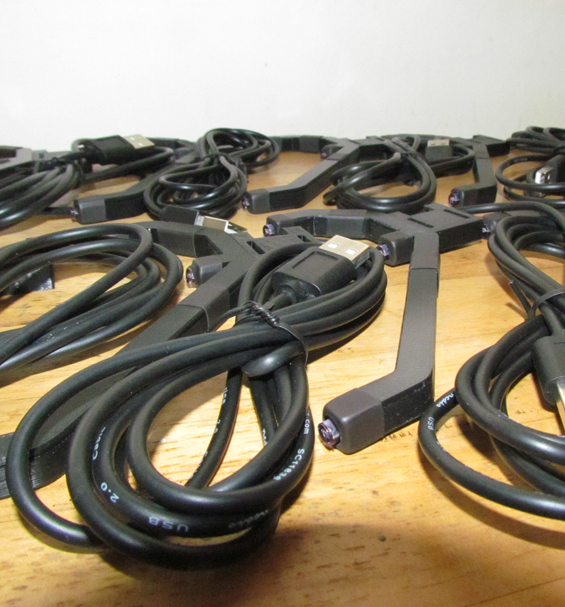
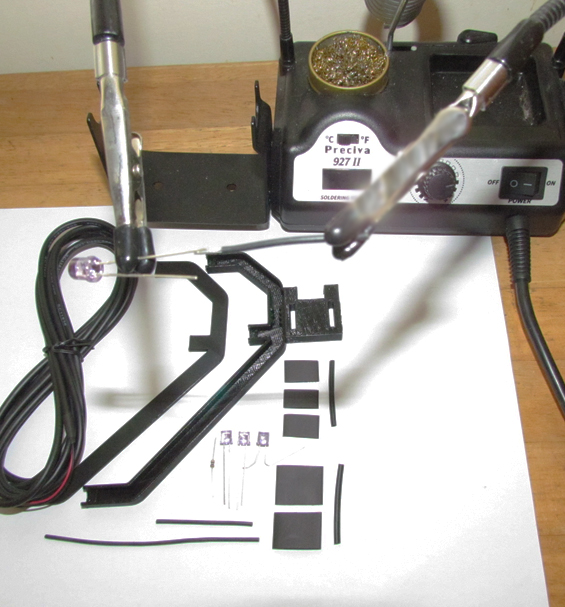
A complete diy head tracker assembly kit with circuit board and components

There is a special satisfaction that comes from building your own gear. Specifically, our DIY Head Tracker Kits provide everything you need to create a high-performance 6DOF unit. Therefore, this comprehensive diy head tracker guide will walk you through each stage of construction.

Ready to start your project? Grab your complete DIY Head Tracker Kit from our shop!

Essential Tools for Assembly

Your kit includes core components like the printed circuit board (PCB), IR LEDs, resistor, and USB cable. In addition, you will need a few basic workshop tools before starting:

  • A soldering iron and solder
  • Wire cutters and strippers
  • A helping hands tool for stability
  • Protective eyewear

Step-by-Step Build Instructions

Step 1: Preparing the Board and Components

First, lay out your PCB and components on a clean workspace. Next, identify positions for each of the three IR LEDs and the resistor. Note that LEDs have polarity, meaning the longer leg is the positive anode. Furthermore, the PCB board features markings showing exact orientation.

Step 2: Soldering the Components

Carefully solder the resistor and each LED onto the circuit board. For best results, solder joints should look shiny and cone-shaped rather than dull. Because soldering irons generate intense heat, always work in a well-ventilated space with protective eyewear.

Safety First! Always exercise caution when handling hot equipment and sharp wire ends during assembly.

Step 3: Final Wiring and OpenTrack Testing

In addition, attach the USB power cable to the designated pads on the board. Once assembled, connect the tracker to your PC and launch open-source software like OpenTrack to calibrate your device. As a result, you gain natural 6DOF head movement across your favorite simulators.

Why Choose a Custom DIY Head Tracker Setup?

Building your own infrared clip delivers commercial-grade tracking performance at a fraction of the cost. Furthermore, maintaining or modifying your rig in the future becomes simple once you understand the basic hardware structure. Therefore, DIY building is the best route for custom setups.

Consequently, congratulations on completing your custom build! Now you are ready to enjoy full virtual cockpit immersion.

Posted on

Top 5 Games That Are Transformed by Head Tracking

Top 5 Games That Are Transformed by Head Tracking

If you are exploring the top 5 games head tracking enhances, finding the right simulation titles makes all the difference. Consequently, using 6DOF hardware turns static gaming into an active experience for players.

A selection of top 5 games head tracking transforms for sim gaming

Thinking about getting a head tracker but not sure where to start? While compatible with hundreds of titles, some games feel like they were built from the ground up for 6DOF tracking. Therefore, a quality setup does not just add a feature, it fundamentally changes how you play.

In addition, pairing high-precision hardware with open-source tools like OpenTrack guarantees instant compatibility. As a result, let us explore our top 5 games head tracking reshapes for maximum cockpit immersion.

Top 5 Games Head Tracking Enhances for Simulation

1. Microsoft Flight Simulator 2020

First, this is the definitive flight simulator for virtual pilots. For instance, the sense of presence you get from naturally looking around the cockpit or peering out the window is unparalleled. Because monitoring instruments requires quick glances, smooth movement remains essential equipment.

2. Elite Dangerous

Second, navigating the vastness of space requires total situational awareness. Specifically, in a dogfight, tracking an enemy ship by looking through your cockpit canopy gives you a massive tactical advantage. Furthermore, this natural vision control makes space exploration feel completely fluid.

3. Assetto Corsa Competizione

Third, in the world of GT racing, every fraction of a second counts. For example, a quality setup lets you look into the apex of a corner as you approach it. Consequently, checking your mirrors for rivals becomes second nature, bringing you closer to a real race cockpit.

4. Arma 3

Fourth, this military simulator relies heavily on tactical awareness. Because you can independently control your view from your weapon’s aim, scanning the horizon while keeping your rifle ready becomes effortless. Therefore, you peek around cover smoothly without exposing your whole body.

5. Euro Truck Simulator 2 / American Truck Simulator

Finally, these heavy hauling simulators become far more realistic with dynamic head movement. In addition, checking your blind spot before a lane change or leaning to reverse into a tight loading bay feels natural. As a result, you will wonder how you ever drove without full vision control.

Why Custom Vision Tracking Changes Sim Gaming

Ultimately, adding directional tracking brings intuitive realism across all top driving and flying games. Furthermore, lightweight gear allows hours of comfortable gameplay without uncomfortable VR headsets.

Posted on

TrackIR Alternative: Is a USB Infrared Head Tracker a Smarter Choice?

TrackIR Alternative: Is a USB Infrared Head Tracker a Smarter Choice?

For years, one brand dominated virtual vision control. However, choosing a trackir alternative usb head tracker now offers superior flexibility, open software support, and far better value for simmers. Consequently, adding modern tracking hardware turns static virtual driving into an active experience for drivers.

A trackir alternative usb head tracker mounted on top of a gaming monitor

As simulation tech evolves, players are searching for modern options that provide full 6DOF movement. Therefore, selecting high-precision infrared hardware gives you smooth motion without locking you into closed software ecosystems.

Key Features of a TrackIR Alternative USB Head Tracker

When upgrading your cockpit, finding a trackir alternative usb head tracker requires looking closely at performance, cost, and reliability. In addition, an ideal setup should deliver on several key fronts:

  • Seamless Motion: Enjoy smooth 1:1 rotation and translation without annoying lag or jitter during fast maneuvers.
  • Open-Source Support: Pair your clip with free community tools like OpenTrack for total curve customization across all games.
  • Affordable Pricing: Get premium precision and durable build quality without paying heavy brand markups.
  • Plug and Play Hardware: Simple USB power that runs reliably without bloated or restrictive driver suites.

Flight Sim and Racing Immersion

Whether you need head tracking for flight simulators like MSFS and DCS or sim racing titles like Assetto Corsa, high precision is essential. Specifically, using an infrared tracker provides natural view control in every virtual cockpit.

In addition, checking your side mirrors or looking into the apex of a tight corner becomes completely intuitive. Because your eyes stay focused on the track or sky, you make subtle glances naturally without losing control of your vehicle.

Long-Term Compatibility and Value

Furthermore, investing in open hardware gives you ultimate freedom across all your favorite games. Because open-source software receives frequent community updates, your device remains compatible with new simulation releases for years to come.

Therefore, picking a custom tracker is the most logical path to immersive sim gaming. As a result, you gain complete freedom and top-tier tracking at a fraction of the cost.

Posted on

Getting Started with OpenTrack: A Guide for Your New Gaming Head Tracker

Getting Started with OpenTrack: A Guide for Your New Gaming Head Tracker

If you need a complete opentrack setup guide head tracker configuration, configuring your software properly ensures smooth 6DOF tracking across every simulator. Consequently, getting your software dialled in allows you to experience seamless cockpit movement in minutes.

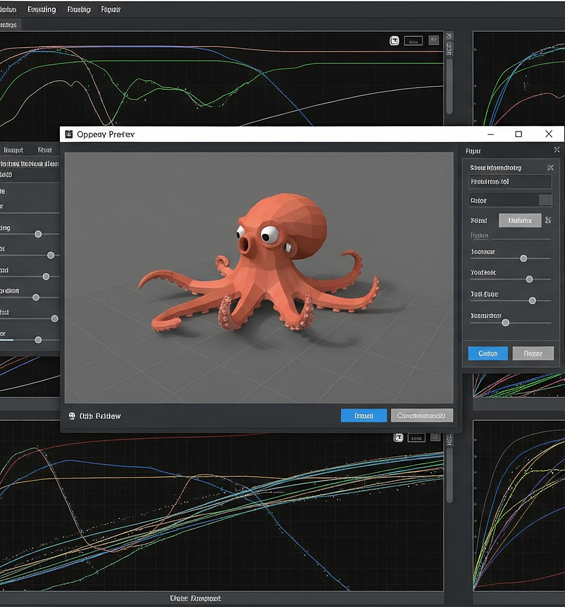
An opentrack setup guide head tracker software layout showing tracking curves

So you unboxed your new unit, and you are ready to dive into a new level of immersion. The key to unlocking its power is a fantastic piece of free software: OpenTrack. Think of it as the brain behind the hardware. Therefore, this guide covers the essential steps to get you up and running.

Why Follow an OpenTrack Setup Guide Head Tracker Walkthrough?

OpenTrack is the community standard for a reason. Specifically, it is free, highly customizable, and compatible with almost any clip unit. In addition, this powerful combination creates an ideal solution, giving you complete control over your response curves without high software costs.

Initial Steps in the OpenTrack Setup Guide Head Tracker Process

When you first open the software interface, the options can seem detailed. However, for an optimal setup, you only need to focus on three core dropdown menus:

1. Input Selection

First, select your input source. For most clip-based infrared units, select “PointTracker 1.1” from the dropdown. Because this setting instructs the program to monitor light points on your headset, it ensures precise positional calculation.

2. Output Protocol

Second, choose how the software communicates with your games. For example, the most common and widely supported option is “freetrack 2.0 Enhanced”. As a result, virtually all flight and racing simulators recognize your movements instantly.

3. Data Filtering

Third, apply filtering to smooth out raw spatial data. Specifically, selecting “Accela” provides an excellent balance of speed and stability. Furthermore, filtering prevents subtle head jitter while preserving quick reflex movements.

Once you set these three options, click “Start” to see the octopus avatar mirror your movements in real time.

Mapping Control Hotkeys for Your Head Tracker

Before launching your favorite simulator, assigning a center hotkey is critical. In addition, navigate to Options and select the Shortcuts tab. Assign an accessible button to the Center function, which lets you instantly recalibrate your view position during flights or races.

Flight Simulation and Racing Calibration with OpenTrack

Whether you require precise tracking for flight simulators or quick response for sim racing, fine-tuning mapping curves delivers optimal performance. Consequently, tweaking deadzones and maximum limits ensures comfortable view control without straining your neck.

Therefore, following this configuration transforms your hardware into a high-performance system ready for any flight or driving title.

Posted on

The Head Tracking Starter Kit: Your First Step to 6DOF Immersion

The Head Tracking Starter Kit: Your First Step to 6DOF Immersion

If you are looking for a 6dof head tracking starter kit, getting full spatial control transforms how you experience flight and racing simulators. Consequently, adopting modern motion hardware turns static gaming into a dynamic experience for simmers.

A 6dof head tracking starter kit mounted on a gaming headset

Have you ever played a flight or racing simulator and wished you could glance around the cockpit naturally? You are not alone. While a keyboard or hat-switch gets the job done, standard keys cannot replicate true spatial awareness. Therefore, setting up an infrared tracker provides the ultimate upgrade for your rig.

This guide introduces a revolutionary hardware setup that elevates your desktop arrangement. In addition, we will cover how simple infrared motion tracking works and why open hardware provides long-term value.

What is Included in a 6DOF Head Tracking Starter Kit?

The term 6DOF stands for Six Degrees of Freedom, which remains key to realistic view movement. Specifically, an infrared setup acts as a high-precision sensor, capturing every subtle motion across six distinct axes:

  • Up/Down: Peering over the dashboard or ducking down in your seat.
  • Left/Right: Glancing at your side-view mirror or looking out side windows.
  • Forward/Back: Leaning in closer to check flight instruments or navigation displays.
  • Yaw: Turning your head left or right to follow target aircraft.
  • Pitch: Nodding your head up or down during landing approaches.
  • Roll: Tilting your head to align with horizon lines during turns.

By mapping these motions directly to your camera, your in-game view mirrors real-life movement. As a result, you gain natural control without relying on cumbersome VR headsets.

Why Choose an Open Infrared Setup?

For years, many simmers relied on expensive, closed options. However, pairing a durable USB infrared clip with free tools like OpenTrack delivers smooth performance at a fraction of the cost.

Furthermore, using a 6dof head tracking starter kit gives you high-precision tracking and plug-and-play compatibility. Because the setup integrates easily with popular software, you avoid complex configuration routines. Therefore, you enjoy professional-grade responsiveness that feels like a natural extension of your movement.

Why Flight and Racing Simulators Need 6DOF Vision

Directional vision control is essential for serious simulation enthusiasts. Specifically, it provides total cockpit immersion across titles like Microsoft Flight Simulator, DCS World, Assetto Corsa, and Euro Truck Simulator 2.

In addition, keeping your hands on the joystick or steering wheel allows faster reaction times. Consequently, tracking your target or corner apex becomes smooth and effortless.

Ultimately, upgrading your desktop rig with a 6dof head tracking starter kit gives you high performance and long-term hardware reliability.

Posted on

Budget Head Tracker vs. Premium: Is a TrackIR Alternative Worth It?

Budget Head Tracker vs. Premium: Is an Alternative Worth It?

When evaluating a budget head tracker vs premium setup, software flexibility matters. Hardware reliability is also vital. Choosing open-source hardware lets simmers save money. At the same time, you retain high precision across major flight and racing titles.

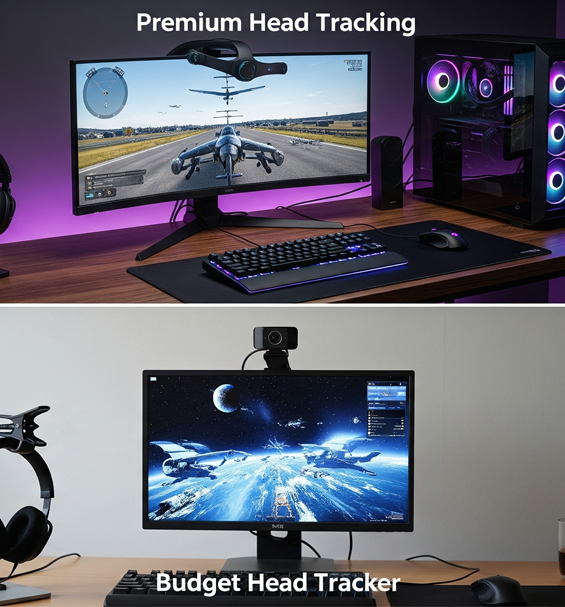
A budget head tracker vs premium comparison showing tracking clips and hardware

When you are serious about simulation, head tracking is essential. For years, high-cost proprietary brands dominated the market. This leads many simmers to ask a simple question. Is an open-source clip a smart choice, or is it an unnecessary compromise?

Defining the Core Features and Differences

Typically, a commercial brand bundles proprietary software with a high price. An affordable setup relies on a simple USB infrared clip instead. It pairs with open-source tools like OpenTrack. The underlying optical hardware operates similarly in both choices. Therefore, the core difference comes down to pricing and software freedom.

Performance and Tracking Accuracy in Games

Infrared optical tracking is well established across simulation games. A durable USB infrared clip connects easily to community mapping software. Once connected, performance matches expensive commercial units. As a result, you enjoy smooth 6DOF motion during dogfights in DCS World or tight cornering in Assetto Corsa.

Furthermore, custom curves let you fine-tune deadzones and smooth out jitter. You can also tailor axis scaling to fit your cockpit view.

Budget Head Tracker vs Premium Value Verdict

Choosing an open infrared unit is a smart investment. Unbundling physical tracking points from closed software gives you an effective system for less money. In addition, replacing individual components or cables in open designs is straightforward if parts wear out over time.

Therefore, evaluating your options shows that open hardware delivers professional tracking without the brand markup. It remains the ideal choice for enthusiast simmers.

Posted on

Why a 3-Point Clip is the Most Stable Design for a Head Tracker

Why a 3-Point Clip is the Most Stable Design for a Head Tracker

Understanding why 3 point clip is best helps simmers choose reliable motion hardware. Specifically, a triangular array of infrared LEDs provides precise spatial tracking. Consequently, this design delivers smooth 6DOF movement across flight and racing simulators. Setting up proper geometry ensures your movement feels completely natural in every virtual cockpit.

Diagram showing why 3 point clip is best for infrared tracking

Ever wondered about the physical geometry behind your gaming head tracker? High-performance tracking setups rely on three infrared LEDs mounted to a headset clip. This physical layout is not a random design choice. Instead, it relies on proven mathematical principles. It remains the absolute gold standard for tracking software like OpenTrack.

The Geometry of 6DOF Movement

True 6DOF tracking requires calculating pitch, yaw, roll, and spatial translation in real time. In geometry, three non-collinear points define a rigid plane in 3D space. By tracking three distinct light points, your camera calculates exact head movement instantly. Therefore, your in-game view mirrors real motion without delay, keeping your vision locked onto targets or corner apexes.

Because the mathematical plane is locked, the software never gets confused about where your head is pointing. This geometry ensures high precision whether you lean forward to inspect dials or turn around to check your tail.

Why 3 Points Beat Other Layouts

Alternative LED layouts often struggle with 6DOF calculations during long gaming sessions:

Two-Point Setups: A two-point array cannot separate roll rotation from distance changes. As a result, moving closer to your monitor causes axis jitter, making fine adjustments frustrating.

Four-Point Setups: Extra LEDs create point occlusion issues. When you turn your head sharply left or right, one LED blocks another. This causes tracking software to lose calibration instantly.

Three points provide the exact amount of data needed for total accuracy while preventing lights from blocking each other.

Why 3 Point Clip is Best for Simulators

Using a well-built three-point IR clip paired with an IR camera offers unbeatable stability. It delivers smooth movement and zero input lag across flight and racing titles. Furthermore, unbundling hardware from closed software keeps the system affordable, durable, and simple to adjust.

Because open software lets you fine-tune response curves, you can eliminate deadzones easily. You gain total control over your view without buying expensive proprietary gear.

Ultimately, choosing this geometry ensures high accuracy and long-term reliability for your gaming rig.

Posted on

Why a USB Infrared Head Tracker is the Best Choice for Sim Racing

Why a USB Infrared Head Tracker is the Best Choice for Sim Racing

Choosing a usb infrared head tracker sim racing setup provides instantaneous positional tracking without breaking your budget. Specifically, tracking infrared points eliminates latency during high-speed wheel-to-wheel battles. Consequently, virtual drivers gain maximum spatial awareness when navigating tight chicanes and crowded grids.

A usb infrared head tracker sim racing setup showing an active cockpit

In sim racing, milliseconds decide positions. While responsive wheels and load-cell pedals form your core foundation, situational awareness transforms your racecraft. Many simmers search for affordable tracking gear that keeps up with sudden maneuvers. A dedicated active optical setup delivers the ideal solution for competitive virtual motorsports.

Precision and Zero Latency Across Every Lap

Unlike standard webcams that process visible light, an active optical system filters out background room lighting. The tracking sensor monitors bright active points mounted to your headset. Because hardware filtering isolates these points instantly, system overhead drops significantly. You experience zero input delay when checking side mirrors or looking deep into a corner apex.

Furthermore, consistent lighting control prevents sudden tracking loss when room light changes. Whether you race in total darkness or a lit office, your camera locks onto your clip continuously. This reliability is vital during multi-hour endurance events in games like iRacing and Assetto Corsa Competizione.

Custom Mapping with Open-Source Tools

Pairing hardware points with software like OpenTrack grants complete freedom over your view settings. You can tweak motion curves, set smooth deadzones, and dial in rotational multipliers. Small physical head movements translate to full cockpit views without straining your neck.

In addition, separating physical hardware from closed software protects your investment. If a cable wears down over time, replacing individual components is quick and inexpensive. You never need to replace the entire system just to fix a single worn wire.

USB Infrared Head Tracker Sim Racing Advantages

Using a usb infrared head tracker sim racing configuration delivers high performance without the steep price tag of closed commercial units. You achieve crisp 6DOF tracking that tracks pitch, yaw, roll, and translation simultaneously. As a result, leaning forward to read your dash or turning to check a blind spot feels natural.

Ultimately, combining open mapping software with active hardware provides professional performance. It gives you the track awareness needed to defend positions and avoid collisions consistently.